Aspen Discovery

Learn all you need to know about our newest catalog experience!
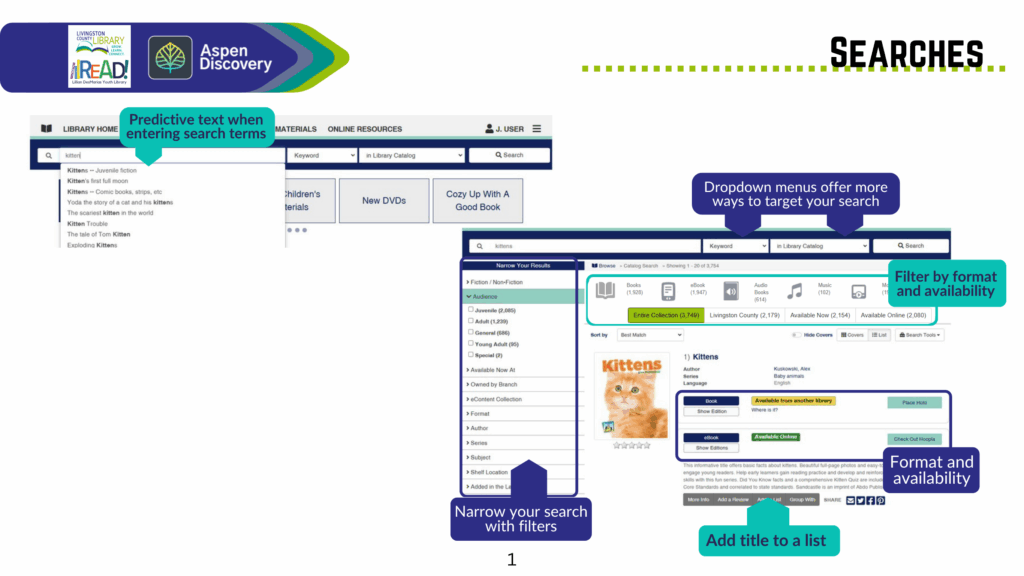
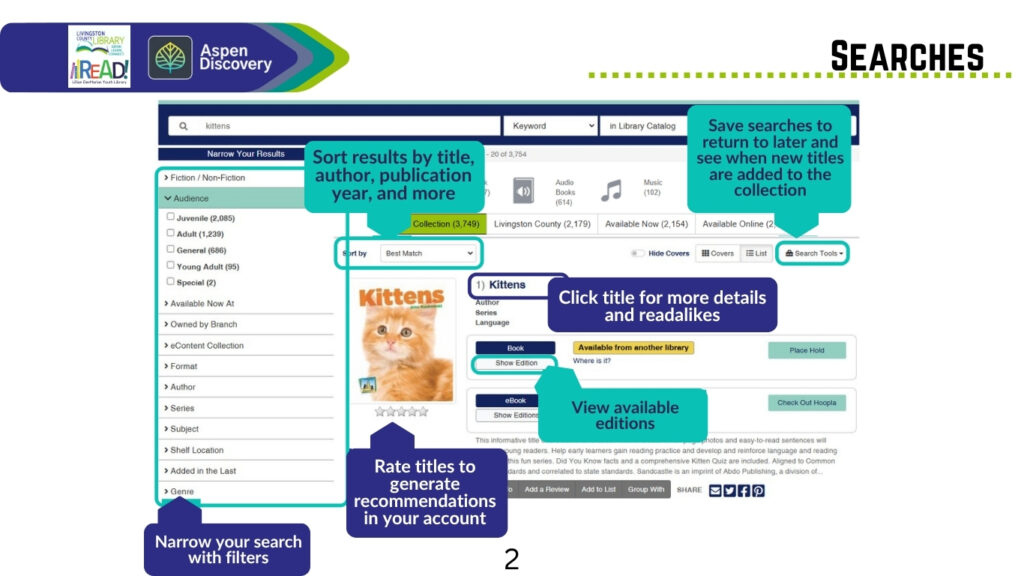
In the new Aspen Discovery catalog there is prdictive text when entering search terms. Dropdown menues offer more ways to target your search. You can filter by format and availabilty. Narrow your search with filters and add titles to a list for later.

This image tells you that you can sort results by title author, publication year and more. Save searches to return to later and see when new titles are added to the collection. You can view available editons and rate titles to generate recommendations in your account.

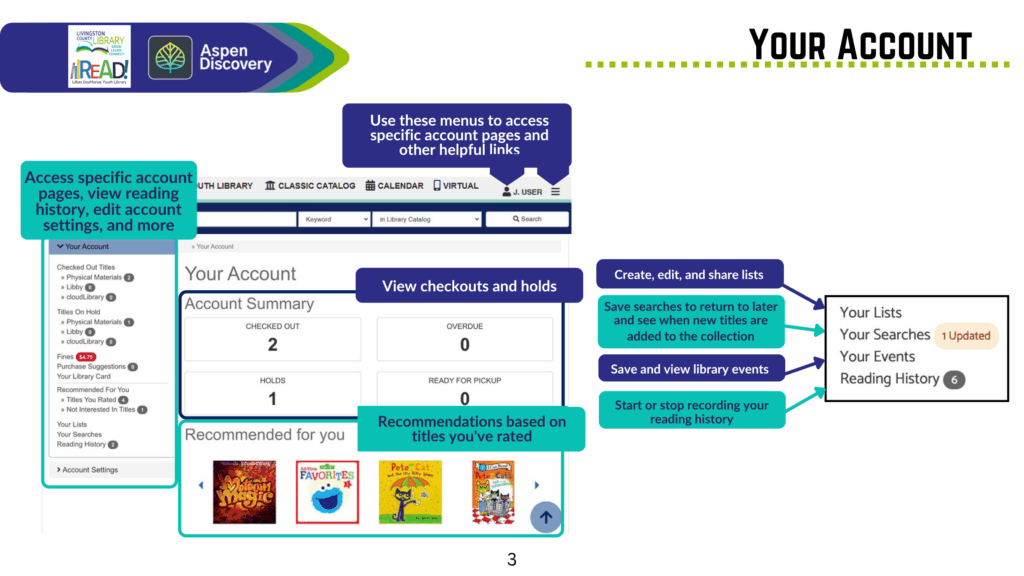
In your account you cant view checkouts and holds, access apecific account pages, view reading history, edit account settings, and more.

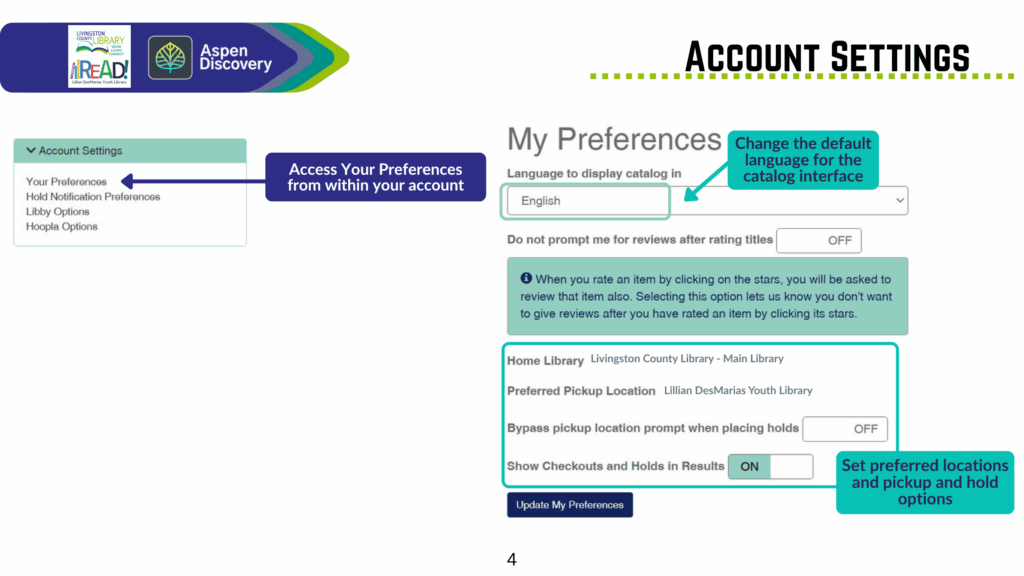
You can change the default language for the catalog interface and set preferred locations and pickup and hold options.

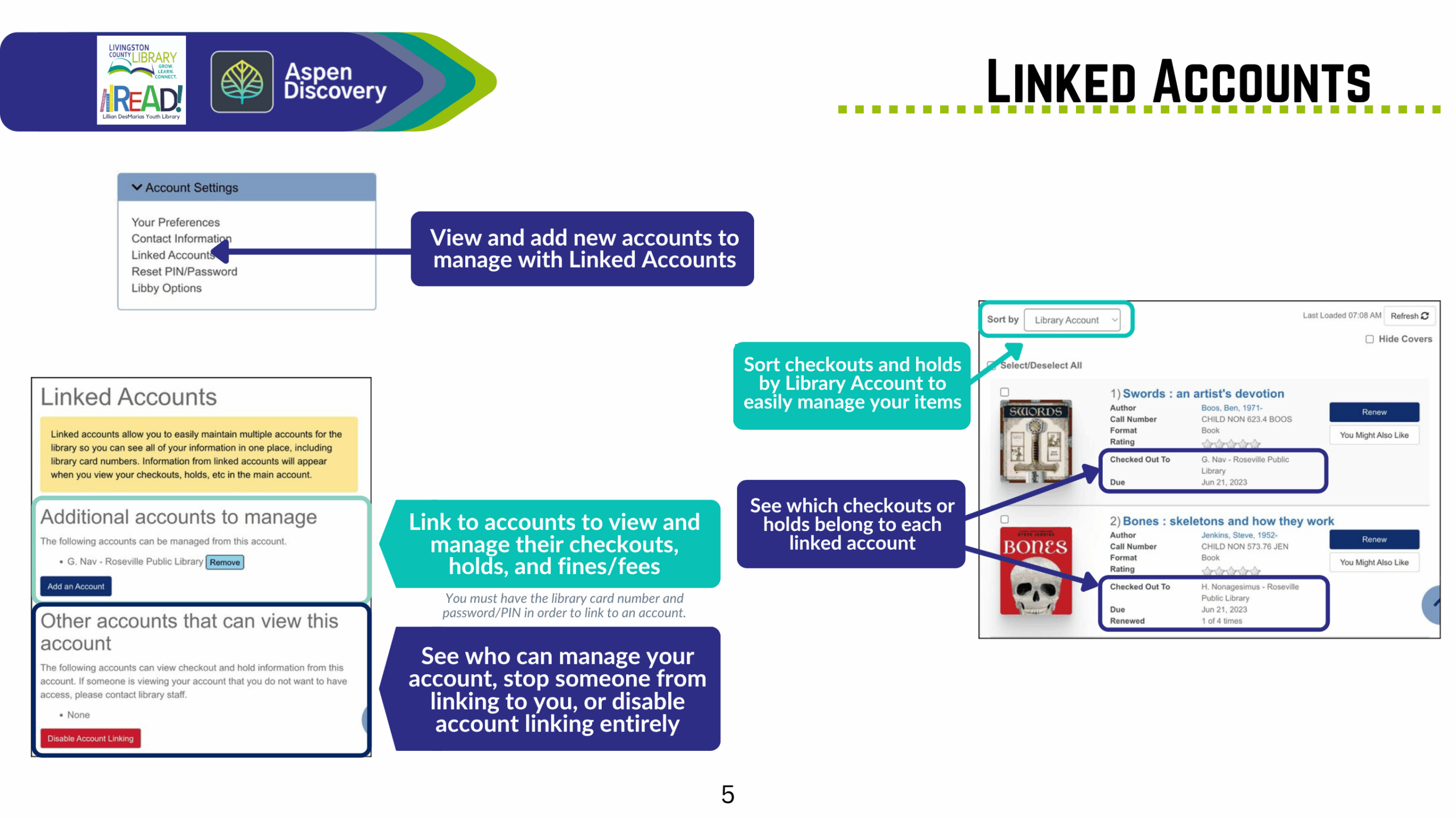
You have the option to link accounts and manage their checkouts, holds, and fines/fees. You can see who manages your account and stop someone from linking to you or disable account linking entirely.

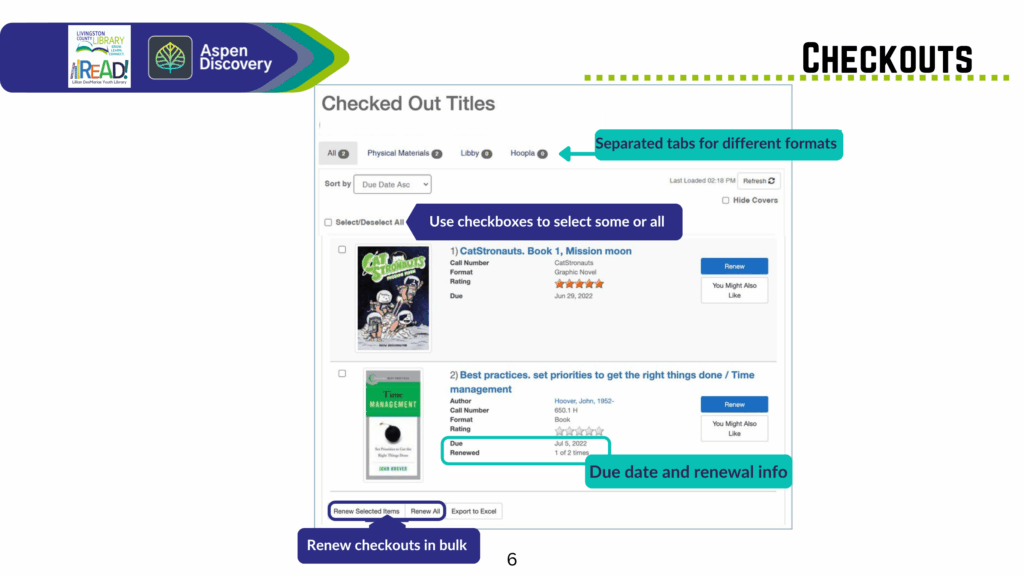
In checkouts there are seperate tabs for different formats and you can see your due date and renewal info. You can also renew checouts in bulk.

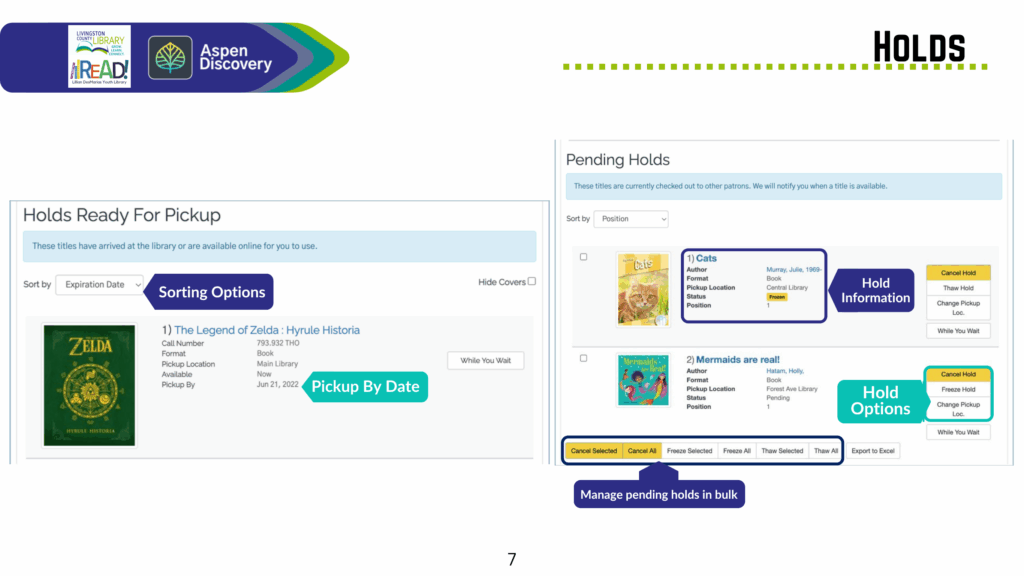
You can put items on hold, manage pending holds in bulk, and find your pickup dates and hold options.

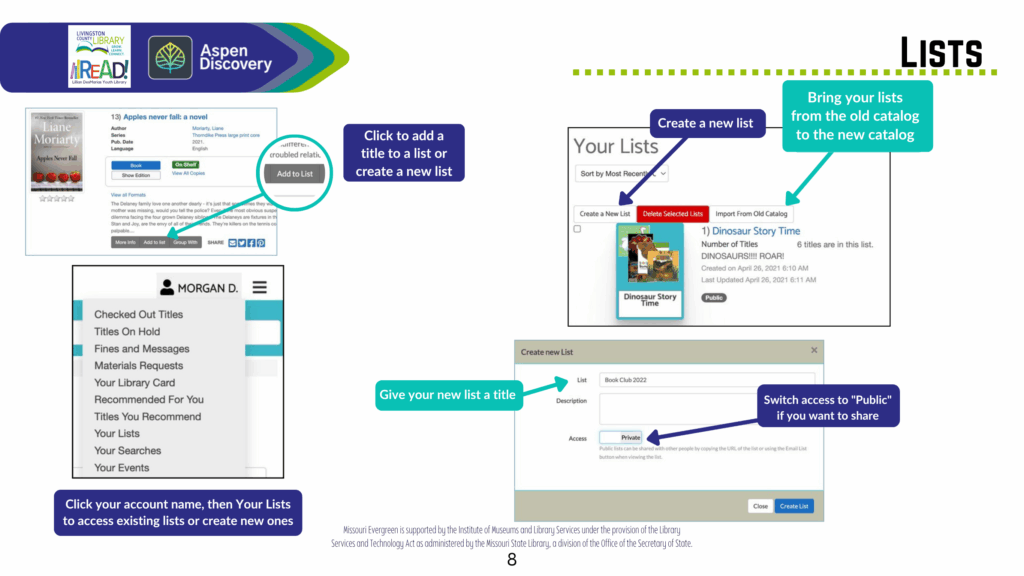
You can add items to your lists for future checkouts and switch your lists to public if you want to share.